In short
- RAID combines several disks for speed, capacity, redundancy or a mix of the three.
- Arrays rarely fail from one disk alone: unseen degradation, weak disks and wrong actions do the damage.
- RAID protects against a disk failure, not against deletion, ransomware or a failed rebuild.
Three building blocks
- Striping: data is split into blocks (the chunk or stripe size) spread across the disks. Fast, but on its own it offers no protection.
- Mirroring: the same data is written to two or more disks.
- Parity: a calculated block lets the content of a missing disk be rebuilt from the others.
The common levels
RAID 0
Striping only. Fast and uses all the capacity, but if any disk fails, the whole array is lost. Recovery needs every disk working, at least as an image. See RAID 0 (striping) data recovery.
RAID 1
A mirror of two disks. Simple and robust, but both disks age together, and a mirror faithfully copies deletions and corruption. See RAID 1 (mirror) data recovery.
RAID 5
Striping with one parity block per stripe. It survives one disk failure. The risk lies in the rebuild, which reads every surviving disk in full: our RAID 5 rebuild failed: how to stop the damage and get the data back explains why that so often goes wrong. See RAID 5 data recovery.
RAID 6
Like RAID 5 with two parity blocks, so it survives two disk failures. The better choice for arrays of large disks. See RAID 6 data recovery.
RAID 10
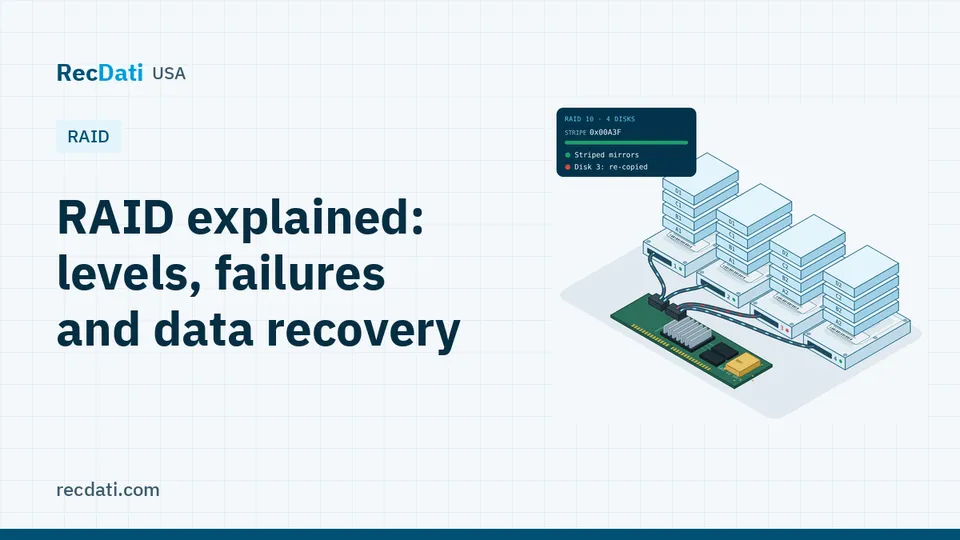
Pairs of mirrors that are striped together. Fast, with good protection, at the cost of half the capacity. It survives several failures as long as both disks of the same pair do not fail. See RAID 10 data recovery.
Hardware RAID, software RAID and NAS
- Hardware controllers (Dell PERC, HPE Smart Array, Broadcom MegaRAID, Adaptec) store the configuration in their own metadata on the disks and in the controller's memory.
- Software RAID: Linux mdadm (used inside most NAS units), Windows Storage Spaces, ZFS and Btrfs RAID. The Linux kernel md documentation and the mdadm manual are the references for software RAID; our Reassembling an mdadm array without making it worse covers safe reassembly.
- NAS: Synology SHR, QNAP and others build on mdadm, LVM and a file system. See NAS failures and data recovery: the complete guide.
How arrays actually fail
- A disk drops out, the alert goes unseen and the array runs degraded until a second disk fails.
- A rebuild meets unreadable sectors on a surviving disk and stops.
- A controller fails and its replacement does not recognize the array, or offers to initialize it.
- The wrong disk is replaced, or disks are put back in the wrong order.
- Several disks from the same batch fail within weeks of each other. Public drive reliability data, such as the statistics published by Backblaze, shows how failure rates vary by model and age.
What to do when an array fails
- Stop: no rebuild, no initialization, no repair, no new disks.
- Write down the controller model, the RAID level, the error messages and the slot of each disk.
- Label the disks with their positions before removing them.
- Have every disk imaged before any further attempt. A lab rebuilds the array from the images; see RAID data recovery.
RAID is not a backup
RAID keeps the system running through a hardware failure. It does nothing against accidental deletion, ransomware, theft, fire or a botched rebuild. Keep at least one separate copy, ideally offline, as recommended by CISA.
Frequently asked questions
Which RAID level should I choose for a four-bay NAS?
For four large disks, RAID 6 or SHR-2 gives the best protection, RAID 10 the best performance with good protection. RAID 5 is acceptable with smaller disks, alerts switched on and a real backup.
Can a failed RAID always be recovered?
Very often, but not always. The chances depend on how many disks can still be read and on what was done after the failure. Rebuilds, initializations and repairs on weak disks are what most often reduce them.
Official sources and useful links
- Linux kernel documentation: RAID arrays (md): Reference documentation for Linux software RAID (mdadm).
Is your data important?
Do not try anything that could make the fault worse. The diagnosis is free and you get a fixed quote before any work starts.