In short
- Check the Gallery trash, Google Photos trash, Samsung Cloud, OneDrive and the files app's trash first.
- Internal storage is encrypted and trimmed: apps that promise to scan it rarely work.
- A microSD card, a backup or a damaged phone are cases where a lab can still help.
The bins on the phone
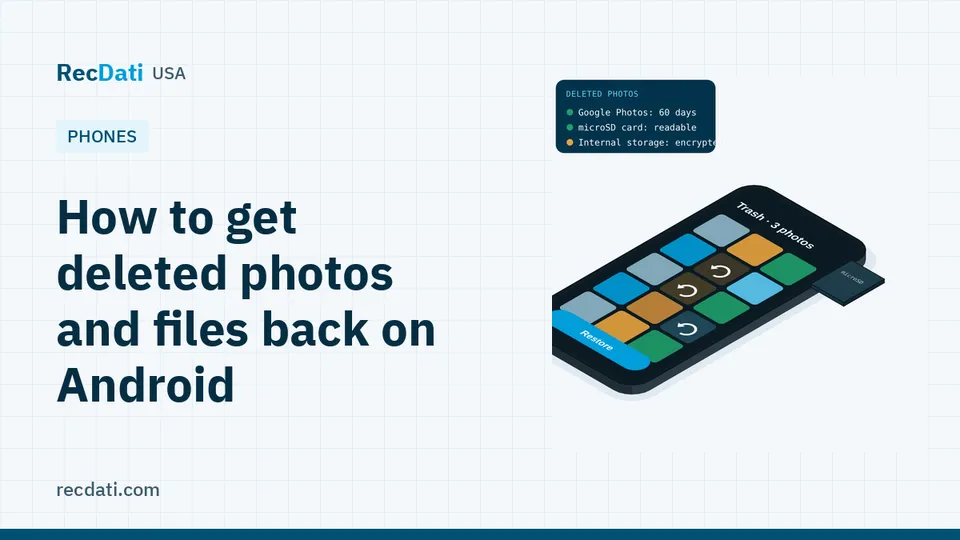
- Samsung Gallery: Menu, then Recycle bin. Items stay for 30 days.
- Google Photos: Library, then Trash. Backed-up items stay for 60 days, others for 30 days, as described in Google Photos Help.
- Files by Google and My Files on Samsung both have their own trash.
- OneDrive or Dropbox camera upload: check the website's deleted items.
The backups
- Google account backup restores apps, settings, SMS and call history to a phone, usually on a reset or a new phone.
- Samsung Cloud and Smart Switch may hold an older copy, on the cloud or on a computer.
- WhatsApp chats are backed up to Google Drive if you turned it on. A chat deleted after the last backup can be restored by reinstalling WhatsApp and restoring that backup, but you lose anything newer. WhatsApp explains the process in its Help Center.
Why internal memory is different
Modern Android phones encrypt their storage, with keys stored in the phone's secure hardware, and use TRIM like an SSD. Once a file is deleted and the space is trimmed, the content is gone. Apps that promise to "deep scan" internal memory without root access mostly find thumbnails and cached copies, not your original photos. Rooting the phone to run them can wipe the data or void the warranty.
What a lab can do
- microSD cards: deleted or formatted cards are often recoverable, see microSD card data recovery.
- Damaged phones: a phone that no longer starts after a drop or water can be repaired at board level long enough to copy the data, with your PIN or pattern.
- Legal and business cases: when messages or files must be preserved as evidence, see digital forensics.
What not to do
- Do not reset the phone to factory settings.
- Do not keep taking photos and installing apps while you look for deleted ones.
- Do not install unknown recovery apps that ask for wide permissions.
Our recovery service for phones is described on Android phone data recovery.
Frequently asked questions
How long do deleted photos stay in Google Photos?
60 days for photos that had been backed up, 30 days for those stored only on the phone. After that, Google deletes them permanently.
Can deleted WhatsApp messages be recovered?
If a Google Drive backup was made before the messages were deleted, yes, by reinstalling WhatsApp and restoring that backup. Without a backup, recovery from the internal memory of a modern phone is very unlikely.
Official sources and useful links
- Google Photos Help: Official help: trash, backup and restoring photos.
Is your data important?
Do not try anything that could make the fault worse. The diagnosis is free and you get a fixed quote before any work starts.